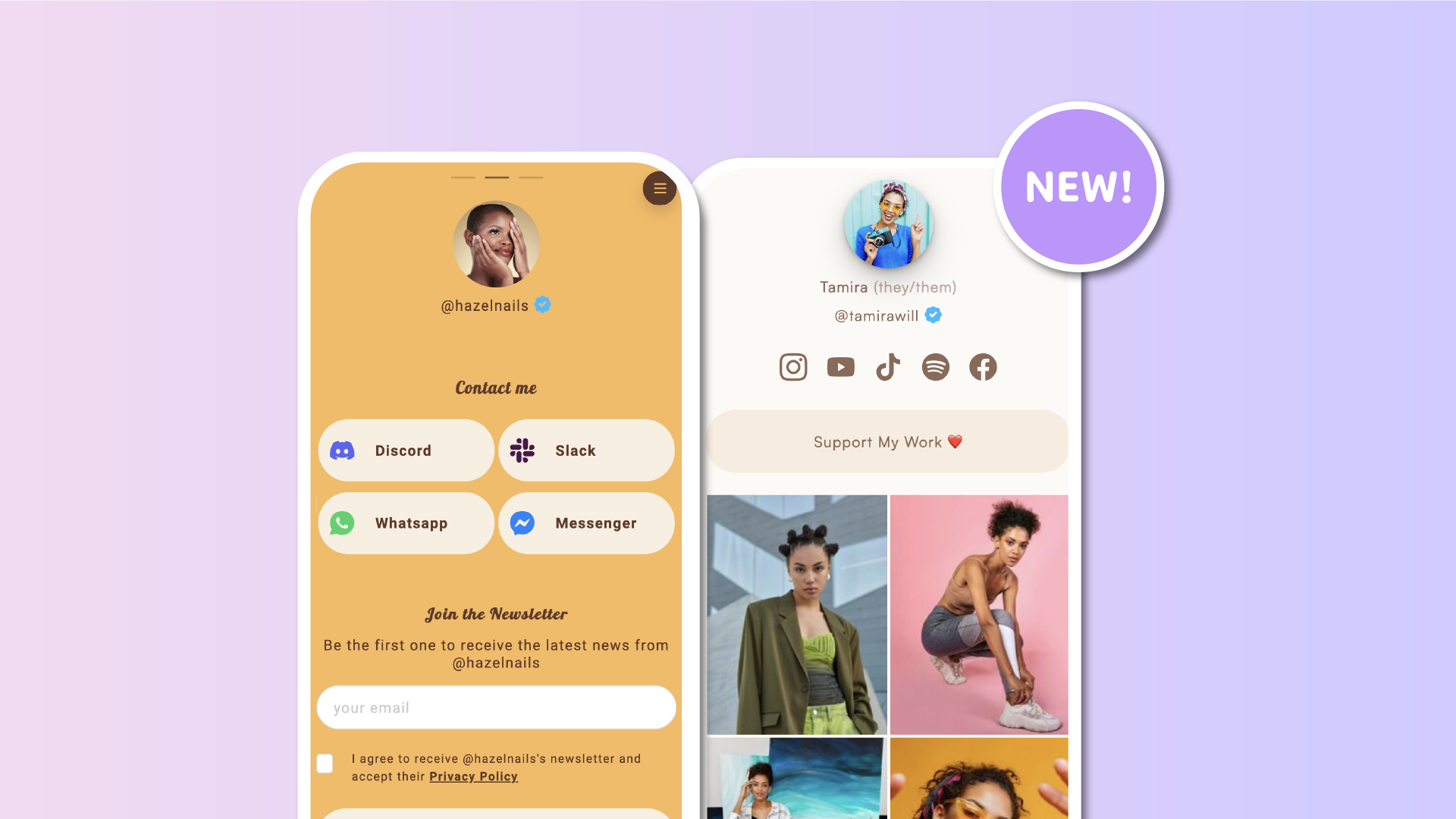

Your Lnk.Bio page should look exactly the way you want it. That's why we're constantly expanding the ways you can display your Lnks, giving you more freedom to create a page that matches your content, your brand, and your personality.
Today, we're introducing 3 brand-new Lnk layouts, and there's something particularly special about this update. All three layouts were suggested by Lnk.Bio users!
From larger Instagram-inspired images to more compact arrangements that fit more content on screen, these additions bring even more flexibility to your page design. Let's explore what's new.
New IG Grid (3:4): bigger images, more impact
Instagram's profile grid has evolved, and now your Lnk.Bio page can match its latest look.
The new IG Grid (3:4), 2 per row layout displays your Lnks as beautiful vertical images, arranged in two columns on both mobile and desktop.
Unlike the traditional three-column Instagram-style grid, this layout gives each image significantly more space to shine.
With its 3:4 aspect ratio, your images appear larger and more prominent, creating a visual experience inspired by Instagram's current profile grid.
Titles are hidden, allowing your images to do all the talking.
It's particularly useful for:
- Photographers and visual artists who want to showcase their work.
- Fashion and lifestyle creators looking for an Instagram-inspired aesthetic.
- Online shops displaying products with larger, more detailed images.
- Portfolio pages where visuals matter more than text.
If your content is highly visual, this layout offers a beautiful way to make every Lnk stand out.
3-Grid with square images and titles: more Lnks, more clarity
Sometimes you want to display more Lnks without sacrificing their titles.
That's exactly what our second new layout delivers.
The 3-Grid with (1:1) squared image & title displays three Lnks per row, each featuring a square image with its title directly underneath.
While Lnk.Bio already supported three-column image grids, this is the first layout that combines three Lnks per row with visible titles on mobile devices.
Previously, titled grids displayed a maximum of two Lnks per row on phones.
Now you can fit more content into the same space while still helping visitors understand exactly where each Lnk leads.
This layout is ideal for:
- Content creators organizing videos, tutorials, or resources.
- Online stores showcasing products with recognizable names.
- Musicians displaying albums, singles, or playlists.
- Businesses presenting services or categories.
- Anyone with lots of Lnks who wants a compact, organized page.
Our tip: Since three columns leave less room for text, we recommend using short Lnk titles and smaller font sizes for the cleanest results.
The square images keep everything aligned, while the titles provide the context your visitors need.
Rounded list, 2 per row: a familiar look, twice the density
Love the classic Lnk.Bio rounded buttons? Now you can display them side by side!
The new List with optional rounded image, 2 per row layout takes the familiar rounded Lnk appearance and arranges two Lnks next to each other.
Each Lnk can feature a small rounded thumbnail alongside its title, combining the recognizable look of traditional Lnk buttons with a more space-efficient arrangement.
On mobile devices, the layout automatically adapts to the smaller screen:
- Thumbnails become more compact.
- Titles appear directly beside their images.
- Longer titles are neatly limited to two lines.
The result is a clean, balanced layout that lets you display twice as many Lnks per row without making your page feel overcrowded.
It's particularly useful for creators with extensive Lnk collections, businesses listing multiple services, or anyone who prefers a compact, organized appearance.
And because images are optional, you can keep things as simple or as visual as you like.
Choose different layouts for mobile and desktop
Every page is different, and so is every screen.
Just like our existing layouts, all three new options can be configured independently for mobile and desktop.
Want a compact three-column grid on phones but larger Instagram-style images on desktop? You can do that.
Prefer rounded buttons on mobile and a visual grid on larger screens? That's possible too.
Simply choose the layout that works best for each device. This flexibility lets you optimize the experience for your visitors without compromising your design.
Compatible with all your favorite Lnk effects
Choosing a new layout doesn't mean giving up the visual effects you already love.
All three layouts are fully compatible with Lnk.Bio's existing Lnk effects, including:
- Shadow
- Striped
- Progress
- 3D Box
- Gradient
- Glitch
And all the other effects available in the editor. Combine layouts and effects to create something that feels uniquely yours.
Whether you prefer a minimalist aesthetic or something bold and attention-grabbing, you have plenty of room to experiment.
Customize individual Lnk Groups too
These new layouts aren't limited to your entire collection of Lnks.
You can also apply them to individual Lnk Groups.
For example, you could display your latest photography in a vertical Instagram-style grid, organize your products in a square grid with titles, and present your social profiles using compact rounded buttons.
All on the same Lnk.Bio page. Each Group can have its own layout, giving you even more control over how different types of content are presented.
How to try the new layouts
Getting started takes just a few clicks.
Go to My Page → Lnks, then open the Layout settings for your Lnks block.
From there, you can choose your preferred layout separately for mobile and desktop.
You'll find all three new options alongside the existing layouts:
- New IG Grid (3:4), 2 per row
- 3-Grid with (1:1) squared image & title
- List with optional rounded image, 2 per row
If you're using Lnk Groups, you can also select these options directly from each Group's layout settings.
Experiment with different combinations until you find the perfect arrangement for your content.
Available for MINI plans and above
All three new layouts are available to users on MINI plans and above. As with our existing layout collection, the two basic list layouts remain available to everyone, while the additional layout options are part of the MINI experience.
If you're already on MINI or a higher plan, you can start experimenting with the new designs right away.
Your suggestions keep making Lnk.Bio better
One of our favorite things about building Lnk.Bio is seeing how creatively our community uses it.
And often, the best ideas come directly from you. Every single layout introduced in this update started as a suggestion from our users.
We listened, and now all three are available for everyone on eligible plans to enjoy.
Have another layout in mind? Or an idea that could make Lnk.Bio even better?
Visit our Suggestions page and share your suggestions. Your idea might become the next Lnk.Bio feature!