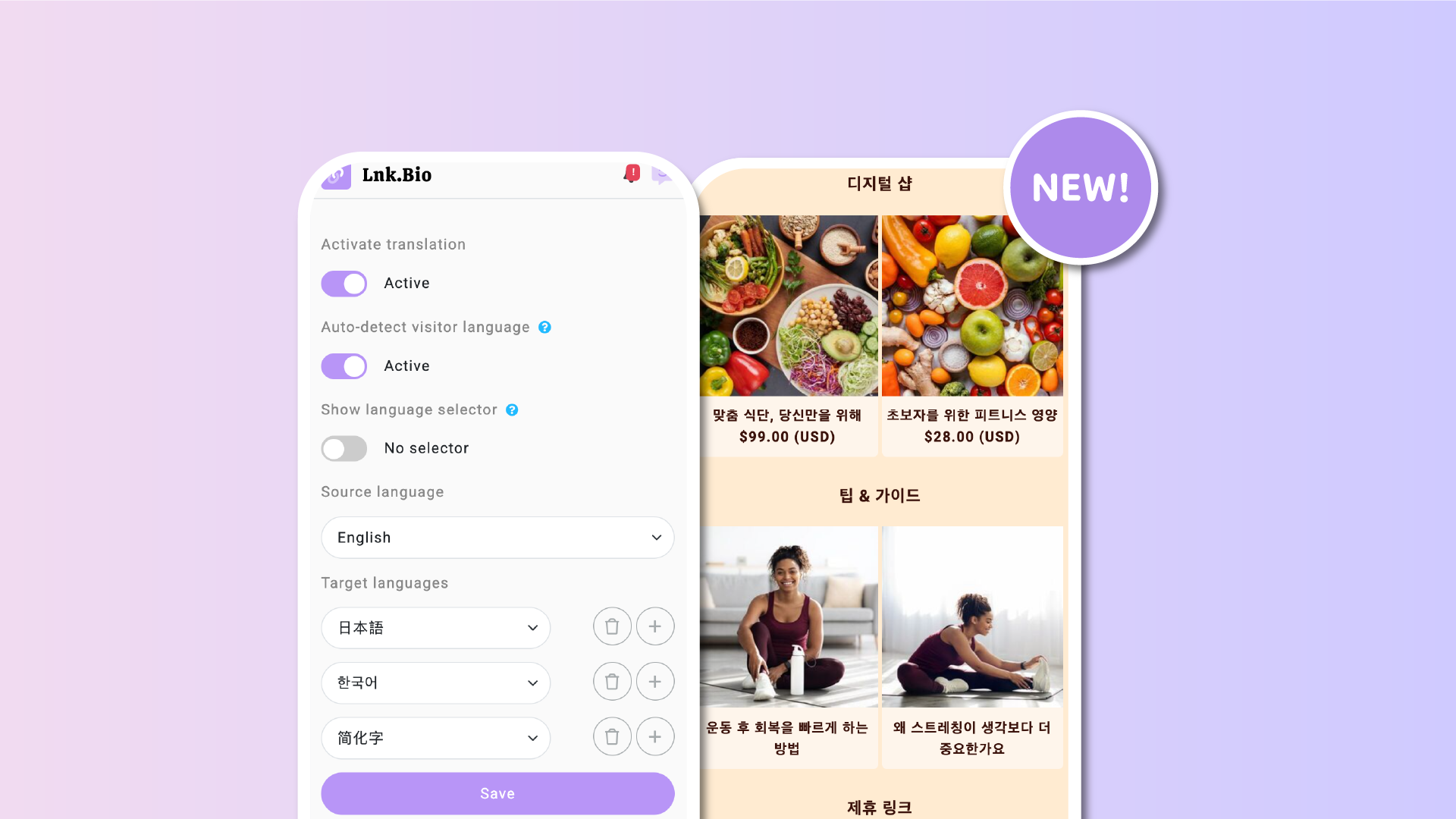

Your Lnk.Bio page can now become multilingual in minutes. This new feature helps you connect with a global audience without creating separate pages or managing multiple versions.
The AI-powered translation add-on allows you to create up to five translated versions of your page. You can choose from 29 available languages. All your key content, including links, biography, and buttons, is automatically translated using high-quality, context-aware AI.
Visitors will see your content in their preferred language based on their browser settings. If you prefer, you can also display a language selector in the top-right corner of your page so users can choose their language manually.
You control the experience
This feature gives you full control over how translations are handled. You decide:
-
Which languages to activate, up to five at a time
-
Whether to keep the AI-generated text or manually fine-tune it
-
Whether to rely on automatic detection and/or show a visible language switcher
The AI respects your existing formatting. It preserves punctuation, capitalization, and your page’s HTML structure. Everything stays clean and consistent, just in the language your visitors speak.
If you want to edit just one sentence in a specific language, you can do that. Each translation is fully editable and managed from your dashboard.
Built for creators, influencers, and businesses
This feature is perfect for anyone with an international audience. Whether you’re a content creator looking to engage fans across different countries, or a business expanding to new markets, this tool makes your page more accessible without requiring extra work.
You no longer need to create duplicate pages or pay for manual translation. With just a few clicks, you can make your content available to people around the world.
Pricing
Since there are costs associated with each word translated via AI, the translation feature is a paid add-on, the translation feature is a paid add-on and is not included in standard Lnk.Bio plans. You can activate it for $3 per month or $30 per year. The add-on includes up to 10,000 characters translated each month.
How to get started
-
Go to your Lnk.Bio dashboard
-
Click on Tools from the left-hand menu
-
Select Translations
-
Activate the translation feature and optionally enable the language selector for your visitors
- Select the translation languages
-
Let the AI generate your translations
Once enabled, your page will automatically show the correct language to each visitor. If you prefer, you can also let users manually select their preferred language using a dropdown.
Which languages should you choose?
Not sure which languages to offer? Lnk.Bio makes that decision easier.
Head over to Stats > Demographics in your dashboard to view the most-used languages among your visitors. This report gives you clear, actionable insights based on real traffic. By aligning your translations with your audience’s preferences, you can make a data-driven decision that improves engagement and accessibility.
Let your audience guide your strategy. After all, there’s no better way to decide than using actual visitor data.
Help us improve
If you have ideas on how to make auto-translation even better, we’d love to hear from you. Visit our suggestions page, where we’ve added a new category dedicated to translation feedback.
Make your page speak to the world. Go to Tools > Translations in your dashboard to activate the feature today.











