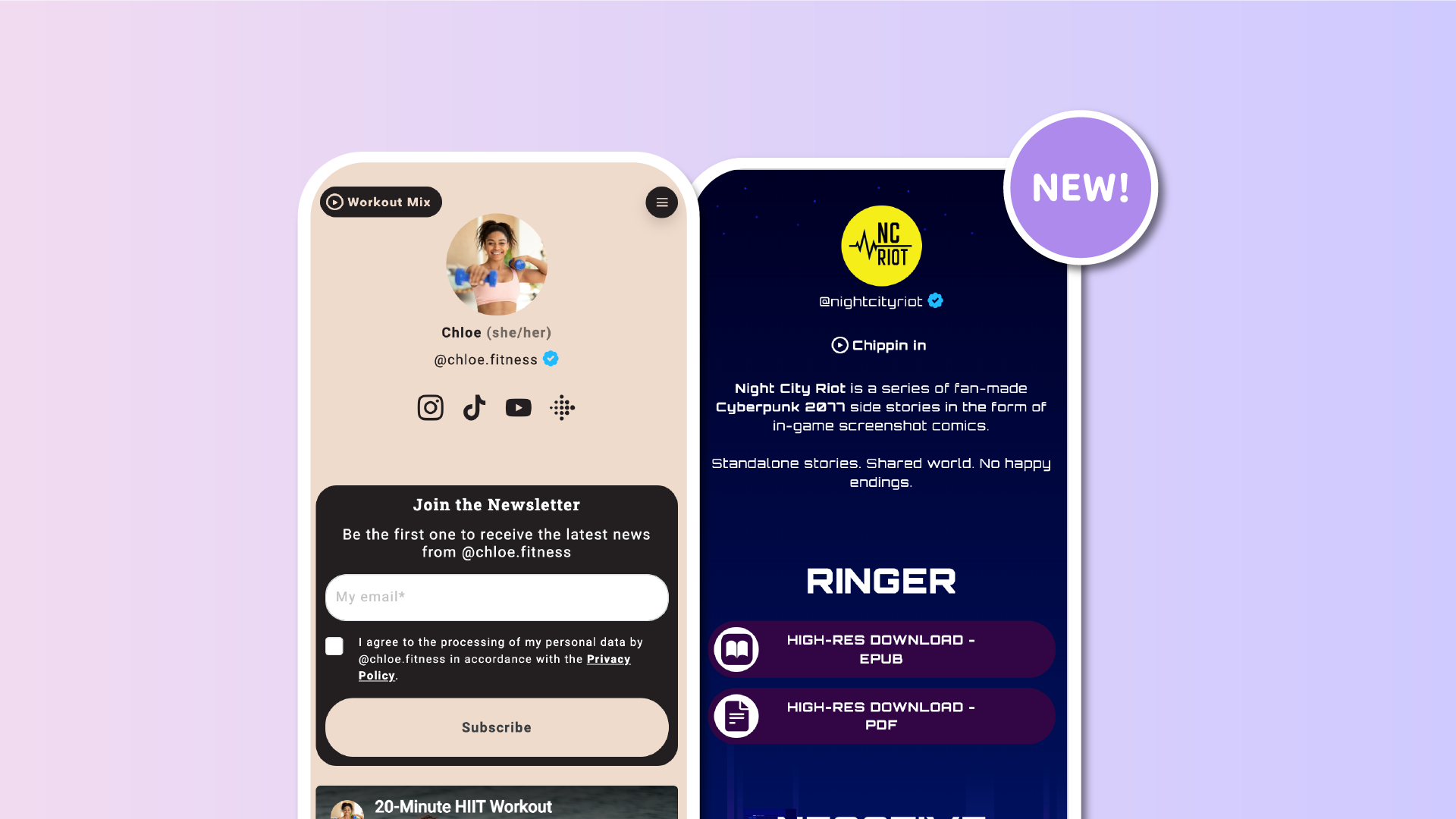

Your Lnk.Bio page is often the first touchpoint people have with you or your brand. Visuals and text matter, but sound can add a whole new layer of personality and emotion.
That’s why we’re excited to introduce Page Music on Lnk.Bio.
With this new feature, you can upload your own MP3 and let visitors play music directly on your page, creating a richer and more immersive experience.
Two ways to add music to your page
Page Music can be added in two different ways, depending on how you want it to appear.
Floating player
You can enable a floating music player from My page, then More, then Page Music.
This option keeps the player always visible while visitors scroll your page. You can choose where it appears, such as top left, top right, bottom left, or bottom right, and it stays fixed in that position.
This is ideal if you want music to be easily accessible at any time.
Player as a page block
You can also add the music player directly inside your page layout from My page, Content, then Add block.
This lets you place the player exactly where it fits best, for example under your profile picture, after your bio, or between other blocks. You can add multiple music blocks, with different tracks, if you want to integrate audio at different points on your page.
Customise your Page Music
Both options share the same features and customization possibilities.
Upload, trim, and style your music
Adding music is simple and flexible.
You can upload an MP3 file up to 15 MB, then trim it directly on Lnk.Bio using a simple drag and drop selector. You can choose up to one minute of audio, making it easy to focus on the most relevant part.
Player style
Once your audio is ready, you can fully customize how the player looks.
You can choose between two styles:
-
Play icon only
-
Play icon with the song name
For both styles, you can decide whether the player appears as a small button with a background or as a minimal icon and text with no background at all.
Player colors
Background and text colors are fully customizable, so the player can match your page perfectly.
Control how the music loops
You can decide how many times your audio should play:
-
One time
-
Two times
-
Five times
-
Unlimited looping
This gives you control over how present the music feels, from subtle background ambience to a more continuous sound.
Why music doesn’t autoplay
You might notice that Page Music does not start playing automatically when the page loads. This is intentional.
Modern browsers, including when linkinbio pages are opened inside apps like Instagram or TikTok, actively block autoplaying audio because it often leads to a poor user experience. Unexpected sound can feel intrusive, which is why autoplay has been widely restricted across the web.
Beyond technical limitations, user choice matters. Letting visitors decide when to press play respects their context and attention. Imagine opening my link-in-bio page without warning and having my favorite metal song blast through your phone speakers. You might not be as happy about that as I am. A clear play button avoids moments like this and keeps the experience comfortable and intentional.
This is also the approach taken by major platforms like Instagram and other social networks, where audio is always user-initiated. A visible play button gives control, clarity, and a better overall experience.
Not just for musicians
While Page Music is perfect for artists who want to showcase their own tracks, its use goes far beyond music promotion.
Here are a few examples:
-
Creators adding background ambience to set a mood
-
Brands reinforcing identity with a signature sound
-
Podcasters highlighting a short intro or theme
-
Event pages adding atmosphere
-
Personal pages adding a more expressive touch
- Fitness influencers sharing a workout mix
Sound can help people connect emotionally, even in subtle ways.
Designed with performance in mind
Uploading and streaming audio involves hosting and streaming costs, which is why Page Music is available on Unique and Ultra plans. If you prefer not to upgrade, you can still add music to your page for free by embedding tracks from the many platforms we support, including Spotify and SoundCloud.
We’ve focused on making Page Music playback smooth, lightweight, and reliable, without impacting your page’s performance.
A long requested feature, now live
Page Music has been one of the most discussed ideas in our community for a long time. In fact, it has consistently ranked as the second most voted feature on Lnk.Bio.
That enthusiasm helped us shape a solution that feels modern, flexible, and respectful of the user experience. We’re very happy to finally make it available.
As always, keep the ideas coming. We’re building Lnk.Bio together.











