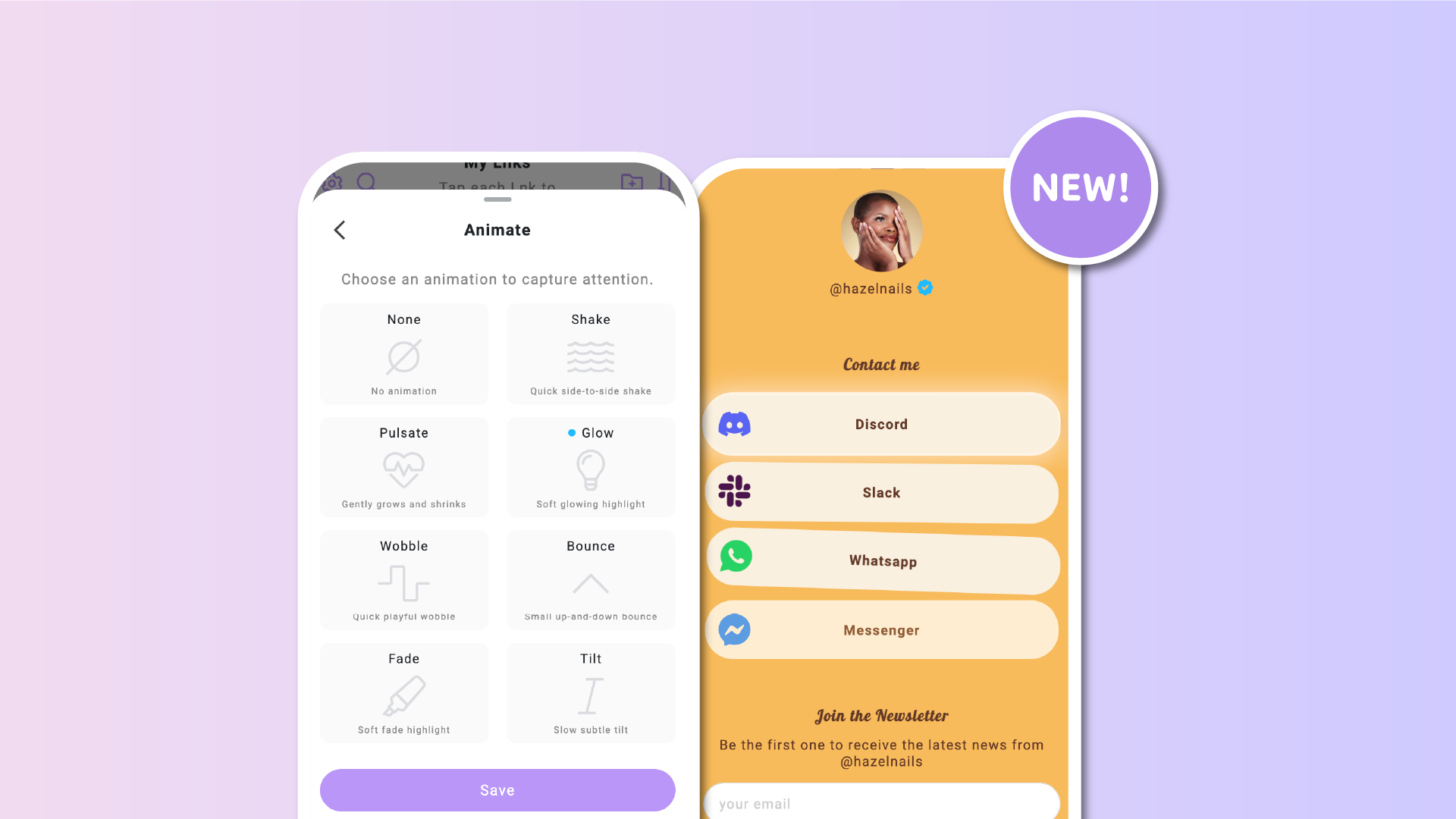

On a Lnk.Bio page, every Lnk has a purpose. It can drive traffic, highlight a promotion, or guide visitors toward a specific action. Subtle motion can help draw attention to what matters most, without overwhelming the page.
Until now, users could apply a simple vibrate effect to their Lnks. It worked well, but feedback from our community through the suggestions page made it clear there was room to go further.
With this update, Lnks on Lnk.Bio now support multiple animation styles, giving you more control over how your links stand out.
More choice, same simplicity
Animations are applied per single Lnk, allowing you to decide exactly which link deserves extra attention.
You can choose from the following animation styles:
-
Shake
The original vibrate effect, now renamed for clarity.
-
Pulse
A smooth, rhythmic animation that subtly attracts the eye.
-
Glow
Adds a visual highlight around the Lnk, ideal for primary actions or featured content.
-
Wobble
A playful movement that adds personality without being intrusive.
-
Bounce
A light vertical motion that naturally draws attention.
-
Fade
A softer animation that gently brings focus to the Lnk.
-
Tilt
A modern effect that adds depth and motion in a subtle way.
Each animation is designed to be lightweight and smooth, so it enhances visibility while keeping your page clean and readable, especially on mobile devices.
Designed to improve attention, not distract
Animations on Lnk.Bio are intentionally subtle. The goal is not to overwhelm visitors, but to guide their attention naturally.
Used thoughtfully, animations can:
-
Highlight a primary call to action
-
Draw attention to a new or important link
-
Improve click-through rates by making key Lnks more noticeable
Because animations are applied individually, you stay in full control of your page’s balance and hierarchy.
Use cases and inspiration
There’s no single right way to use animations, but here are a few common examples:
-
Apply an animation to a limited-time offer or announcement
-
Highlight a main conversion link, such as a signup or download
-
Add subtle motion to a new release or featured piece of content
These are just suggestions. The flexibility is there so you can adapt animations to your own goals and audience.
How to enable animations on a Lnk
Adding an animation is quick and straightforward.
Go to the Lnks section, click on any existing Lnk, and open the Animation option. From there, simply select the animation style you want to apply.
You can repeat this for any Lnk on your page, choosing different animations based on priority and intent.
A small change that makes a big difference
This update expands a familiar feature and turns it into a more powerful tool. With multiple animation styles available, you can now create clearer visual focus, improve engagement, and add a bit of motion where it matters most.
As always, the goal is to help you get better results from your Lnk.Bio page, while keeping the experience fast, simple, and effective. Your feedback and ideas play a big role in shaping what we build next.











