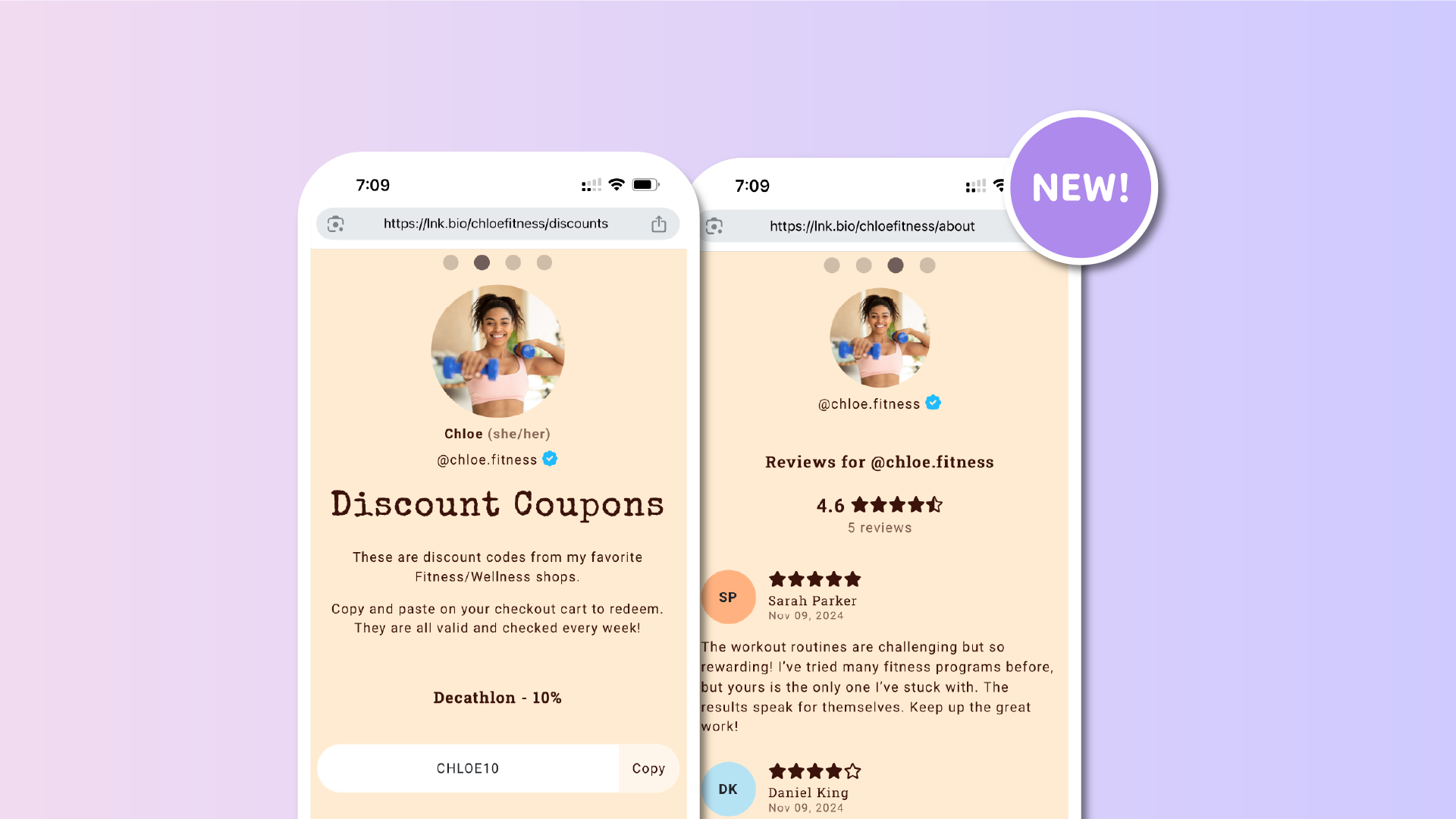

Navigating between pages on your link in bio just got smarter. From now on, every time you swipe left or right or click the arrows to move between pages, the browser URL updates instantly to match the page you’re viewing.
This means clearer navigation, easier sharing, and a smoother experience for your visitors.
Why this matters
This improvement brings important benefits:
-
Share exact tabs: visitors can now copy and share the URL of the tab they are currently on without needing to go back.
-
Stay on refresh: if someone refreshes the page, they will remain on the same tab instead of being redirected to the first one.
-
Clearer navigation: the address bar always reflects the page being viewed, making the browsing experience more transparent and intuitive.
-
Better for creators and businesses: it’s now easier to highlight specific tabs and ensure your audience always lands on the right content.
How to use it
Make sure each of your pages has its own custom URL set. Once that is done, the browser will automatically update as you move between horizontal scrolls.
This feature is available for users with the Unique plan.
Try it today
Log in to your Lnk.Bio account, head to the My page => Pages section, and check that your pages have a custom URL set. From now on, every time you or your visitors swipe or click to another page, the browser address will keep up with you.
It’s a small change that makes sharing, reopening, and browsing smoother than ever.











