
Managing multiple profiles under one agency is powerful. But sometimes a brand or artist moves on, and now, they can take their Lnk.Bio with them without needing to contact support.
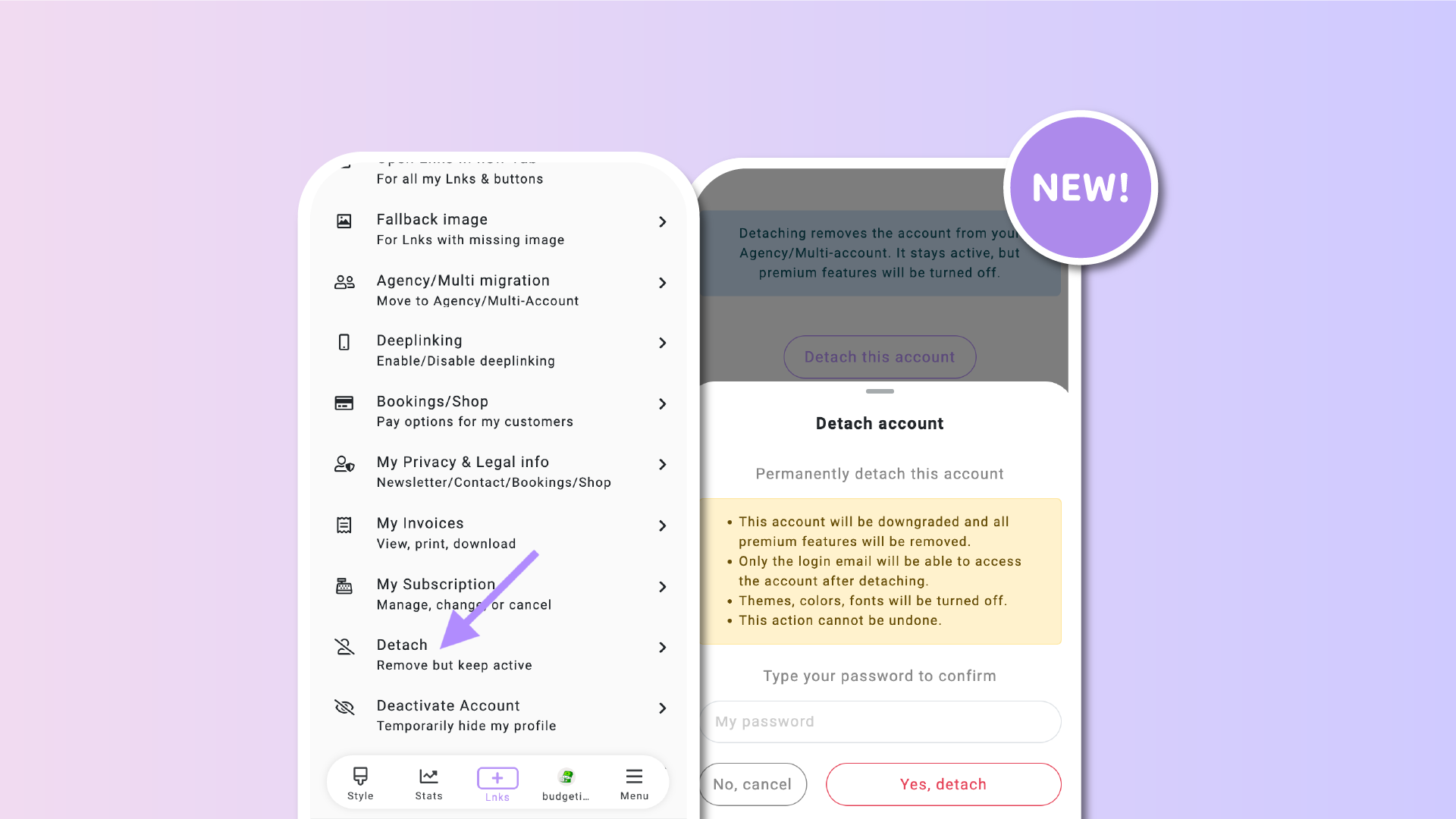
As manager, you can now detach any account from your Agency/Multi-Account directly from your dashboard. The account remains active and independent, with full access through its own login. You stay organized, and they keep their page.
✅ What happens when you detach
– The account is removed from your Agency panel
– It remains active with its own login
– It is automatically downgraded to the Free plan
– Premium features such as colors, wallpapers, and fonts are disabled
– Existing content remains intact unless it uses premium features
– The account no longer counts toward your Agency’s account limit
⚙️ How to detach an account
-
Head to your Agency homepage
-
Select the account you want to remove
-
Click on the @username to open settings of that specific account
-
Scroll to the bottom of the page
-
Click Detach
That’s it. The account will instantly become a standalone Lnk.Bio profile.
🔐 Before you detach
To ensure the account remains accessible after detaching, make sure to:
– Add a login email to the account (if not already set)
– Confirm the email address before detaching
This step is required. Without a confirmed email, the account won't be detached.
✨ Why this matters
This new feature is ideal for agencies managing multiple clients, teams, or artists. When someone moves on, they can continue using Lnk.Bio without interruption, while your dashboard stays clean and focused on the active accounts.
No more emails to support. Full control, all from your dashboard.











