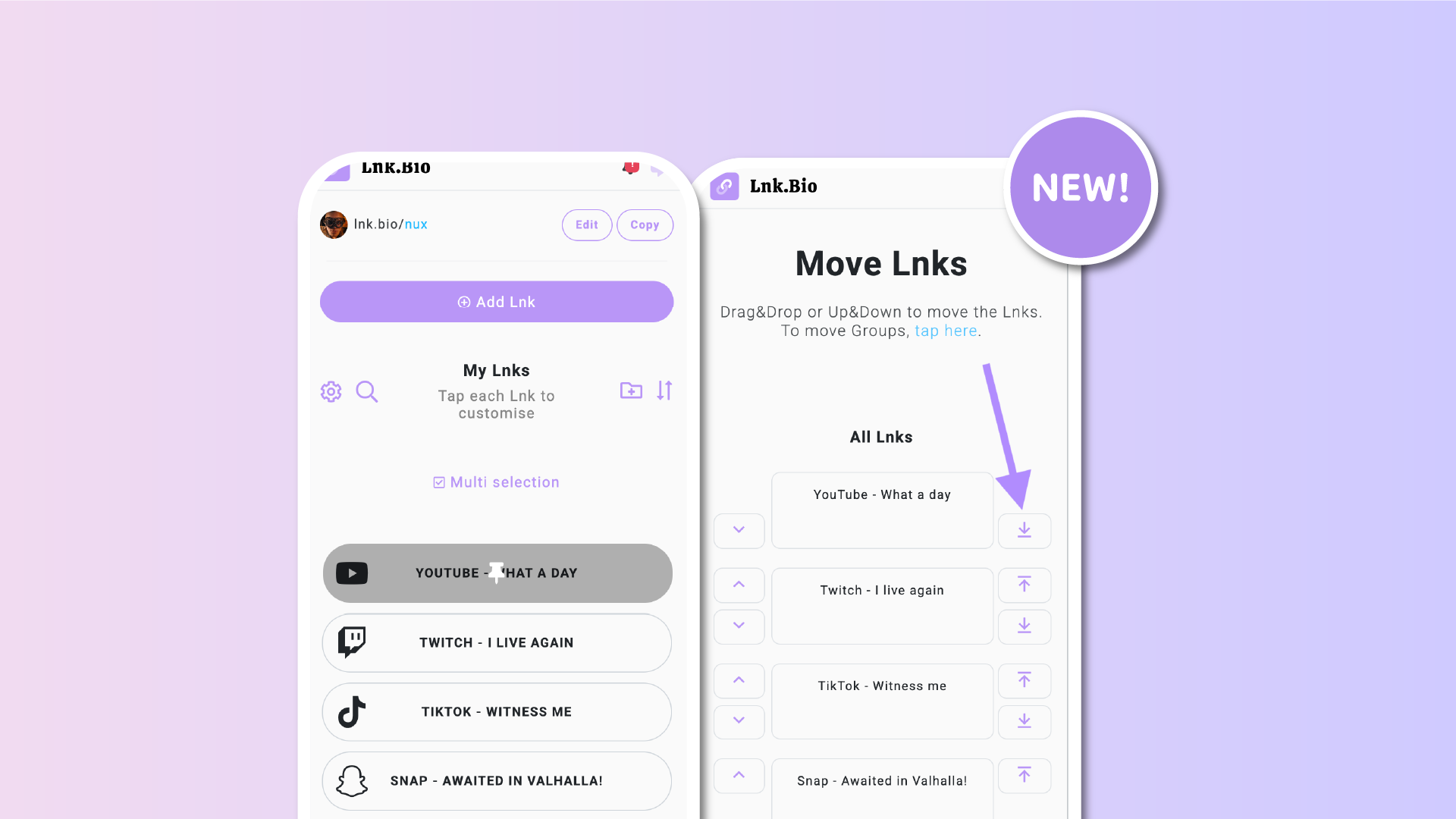

Managing your Lnks just got easier. We’ve released two small but powerful updates that improve how you organize your links and instantly recognize which ones are pinned. These changes are designed especially for creators with many Lnks and are based directly on your suggestions.
Push links to the top or bottom instantly
Sorting your Lnks is now faster than ever.
Inside the Sort links section, you’ll find two new dedicated icons on the right side of each link. With a single click, you can now:
-
Send a link straight to the top of the list
-
Push a link all the way to the bottom
This is especially useful if you manage a long list of Lnks and want to quickly reorganize priorities without repeated clicks.
Of course, all existing sorting methods are still available. You can:
-
Move links up or down one position using the arrows on the left
-
Drag and drop links manually to any position
The new shortcuts simply make bulk organization quicker and more comfortable.
Pinned links are now instantly recognizable
We’ve also improved how pinned Lnks are displayed.
Pinned links now show a clear thumbtack overlay icon, making them easy to identify at a glance inside your Lnks list. No more guessing which links are pinned when managing or editing your page.
This visual cue helps you stay oriented, especially when working with many links or making frequent updates.
Built from your feedback
Both improvements were built directly from user suggestions. As always, your feedback continues to shape how Lnk.Bio evolves.











