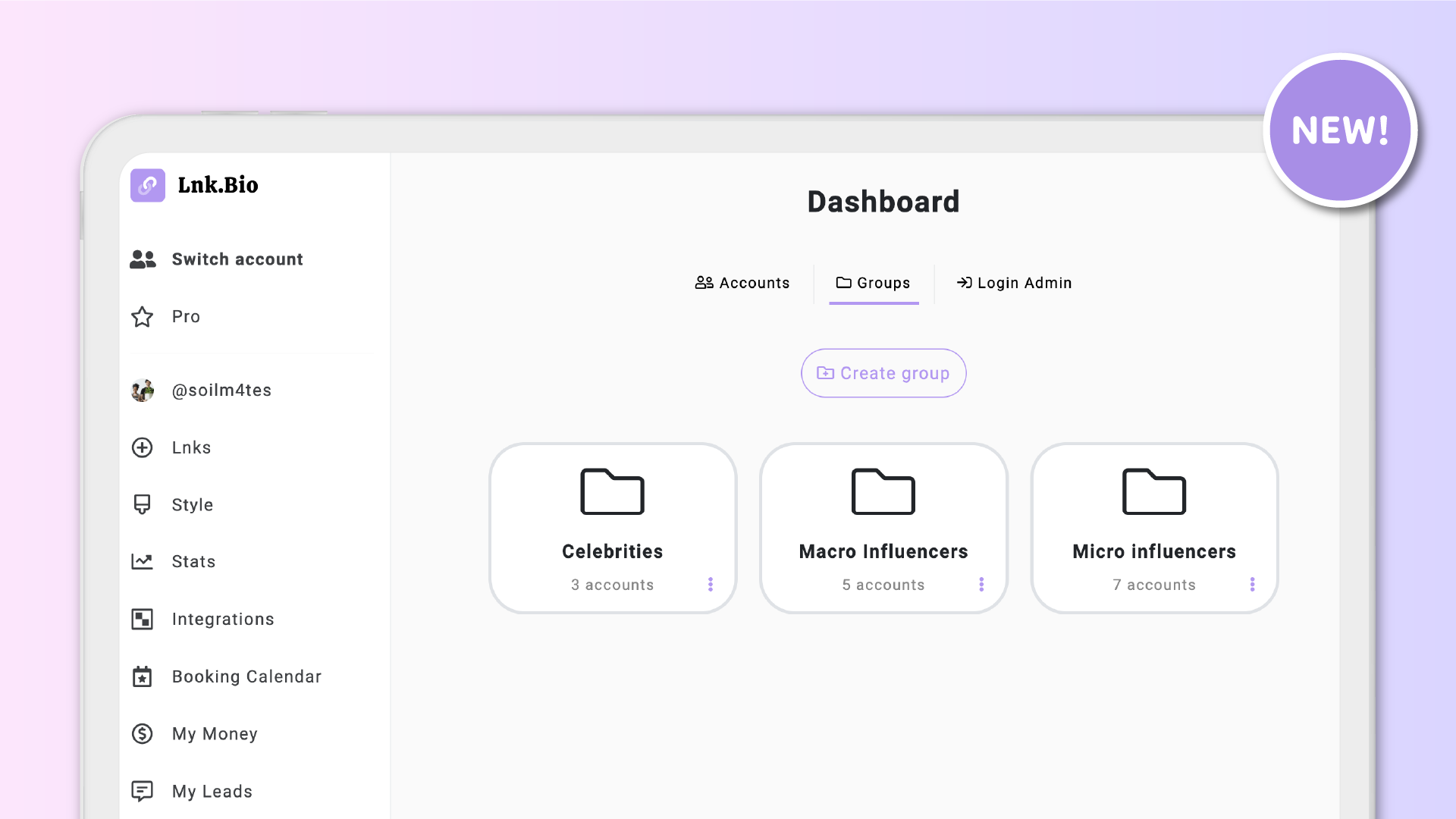

Managing multiple accounts under your Agency/Multi-account plan just got a whole lot easier.
We’re excited to introduce Groups, a new feature that lets you organize the accounts you manage into custom folders. Whether you’re working with influencers, brands, artists, or entire teams, you can now keep everything structured and accessible with just a few clicks.
As more agencies onboard hundreds or even thousands of accounts through our multi-account plans, having a clean and scalable way to stay organized has become essential. Groups were built exactly for that.
This feature is available to all levels of Agency plans, including Basic, Mini, and Unique.
✅ Built to simplify your workflow
Groups help you keep your growing list of accounts neat and searchable. You can create folders by client, campaign, region, or any custom structure that fits your workflow.
You can also assign the same account to multiple groups, giving you complete flexibility in how you manage and access accounts.
🚀 How to get started
-
Go to your Agency homepage
-
Switch to the Groups tab
-
Click Create Group to add as many folders as you need
-
Return to the Accounts tab
-
Click the three dots on any account card
-
Select Add to Group and choose one or more folders
To view all accounts inside a group, head back to the Groups tab and click on any folder. You’ll see a clean, organized list of accounts inside.
📂 Why this helps
– Keep your dashboard clean and easy to navigate
– Quickly find accounts based on your own custom categories
– Eliminate clutter when managing a large number of clients
– Assign accounts to multiple folders for more flexible access
– Save time and stay focused as your agency scales
This was one of the most upvoted features in our Suggestions section, and it is now live for all Agency users.











