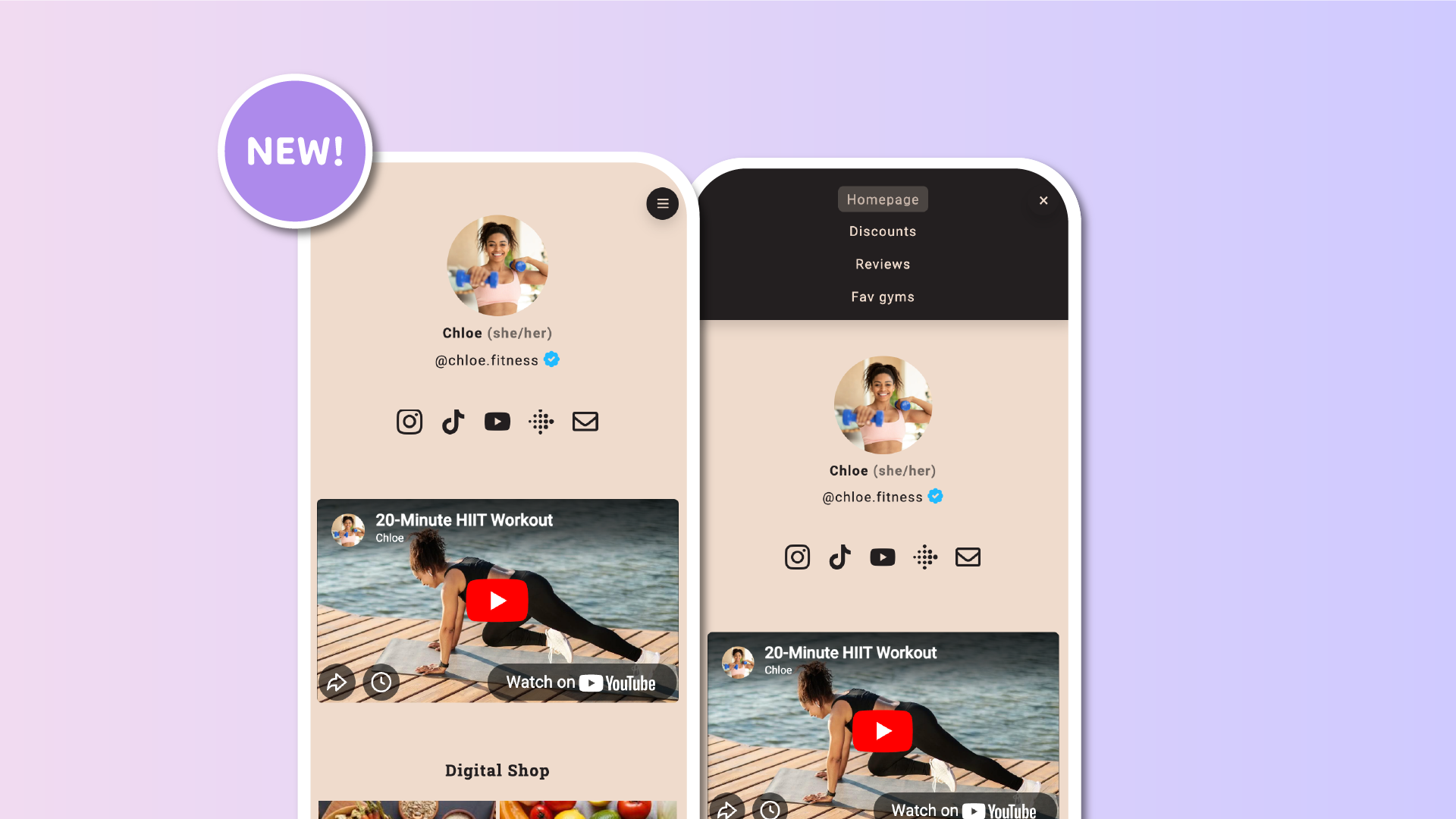

We’re excited to roll out a major upgrade to the way visitors browse multipage Lnk.Bio profiles: the new Navigation Menu.
Multipage layouts have long been one of the best ways to organize additional content on your profile. Up to now, visitors could navigate them by swiping horizontally on mobile or using arrow navigation on desktop. It is simple, elegant, and quick, especially on mobile. But as creators began building more complex multi-page structures, many of you pointed out the need for a more structured way to guide visitors, and we agreed.
Today’s release brings exactly that.
A clearer, smarter way to navigate
The Navigation Menu adds an intuitive entry point to help visitors understand your structure at a glance.
-
On mobile, a familiar hamburger (menu) icon appears at the top of the page. Tapping it opens a clean menu, listing all your pages by name, making it easy to jump directly where your visitor wants to go.
-
On desktop, the menu becomes a horizontal navigation bar that sits neatly at the top of your profile and displays each page in a clear, organized format.
Both versions automatically inherit your theme’s color palette so the menu blends naturally with your layout. And for creators on Unique or Ultra, the menu colors can be customized to match your branding even more precisely.
More flexibility for creators
Because every creator structures content differently, this update adds complete freedom over how visitors navigate:
-
Only horizontal swipe if you prefer the original browsing experience
-
Only the Navigation Menu for a more traditional website-style experience
-
Swipe plus Menu together to offer both options
You can also decide where the menu icon appears on mobile, either top right or top left, depending on what feels more natural for your design.
Built for everyone
The Navigation Menu is available to all Lnk.Bio users by default. No plan upgrade and no additional configuration are required to start using it.
How to enable it
To switch your navigation style, go to:
My Page → Pages → Settings → Navigation Style
and choose the option that fits your layout best.
Try it out today
Give your visitors a clearer, more intuitive way to explore your content.
The Navigation Menu is live now. Log in and customize your navigation style today!











