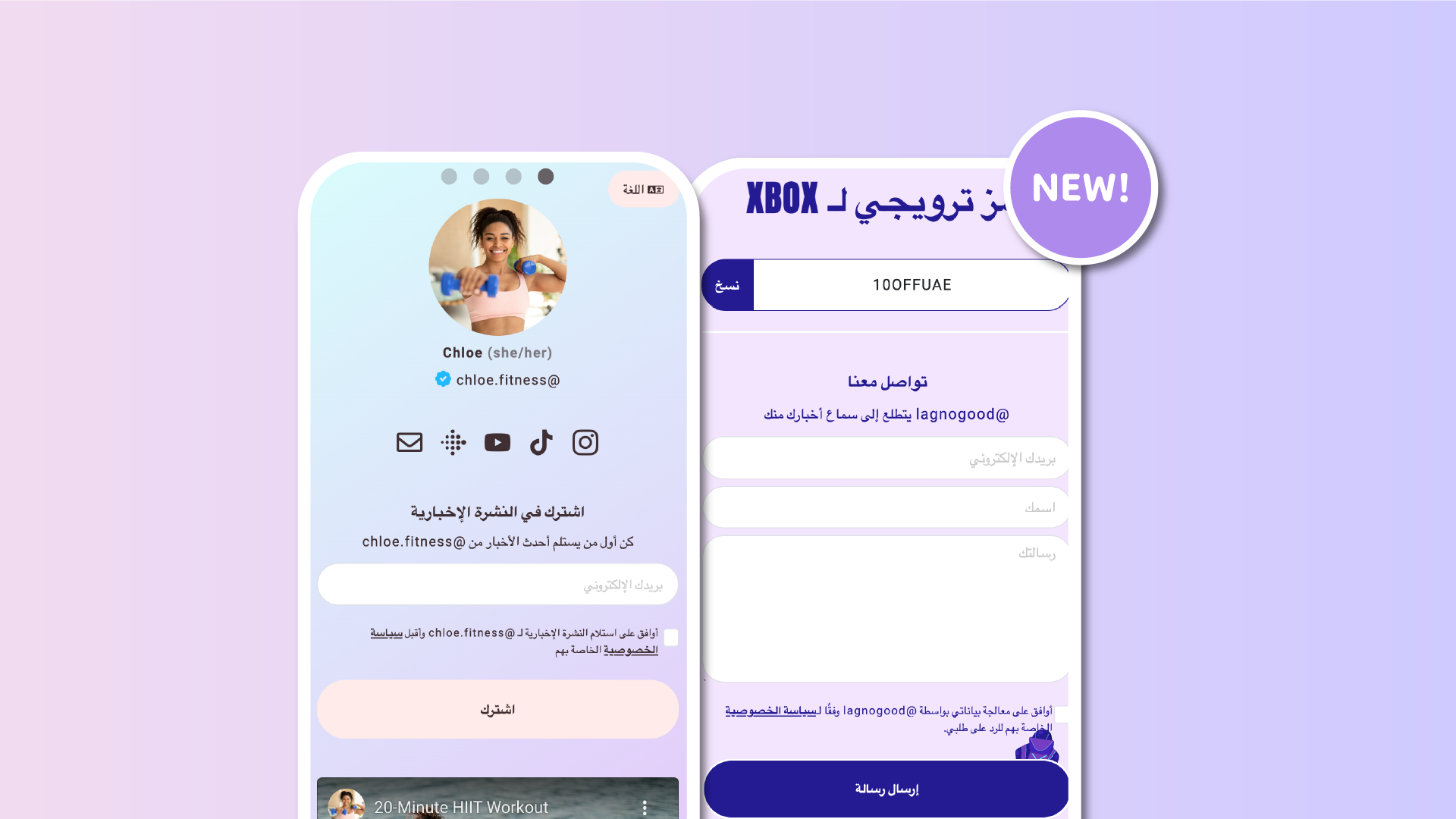

We’re excited to announce that Lnk.Bio now supports right-to-left (RTL) layouts, making it easier than ever for creators using languages such as Arabic, Hebrew, Persian, Urdu, and more to share their pages in a way that feels natural.
With RTL enabled, not only does your text flow from right to left, but the entire layout adapts accordingly, ensuring that your links, buttons, and content look just right for your audience.
Why this matters
Until now, users working in RTL languages often had to manually align content or make compromises in design. With this release, your Lnk.Bio page automatically mirrors to fit the proper reading direction, offering:
-
✅ Better readability for your followers
-
✅ Consistent design across devices
-
✅ A smoother experience for you and your audience
Available for everyone
RTL support is open to all Lnk.Bio users, including free accounts. No upgrade or add-on is required.
How to activate it
Enabling RTL is quick and simple:
-
Go to Menu → Settings → Right-to-left
-
Toggle the option on
-
Save and enjoy your mirrored layout ✨
Still in testing
This feature is still in testing phase. We’re currently checking that all advanced components and add-ons work correctly. If you notice anything not working as expected, please contact us; your feedback helps us improve the experience for everyone.
We’re proud to make Lnk.Bio more accessible to creators worldwide. Whether you’re sharing links in Arabic, Hebrew, Persian, Urdu, or other RTL languages, this update ensures your page feels tailored to you and your community.











