
Your Lnk.Bio page evolves over time. You might refresh your branding, launch a campaign, celebrate a special occasion, or simply feel like trying something new.
Until now, experimenting meant remembering exactly how your favorite design looked so you could recreate it later. Not anymore.
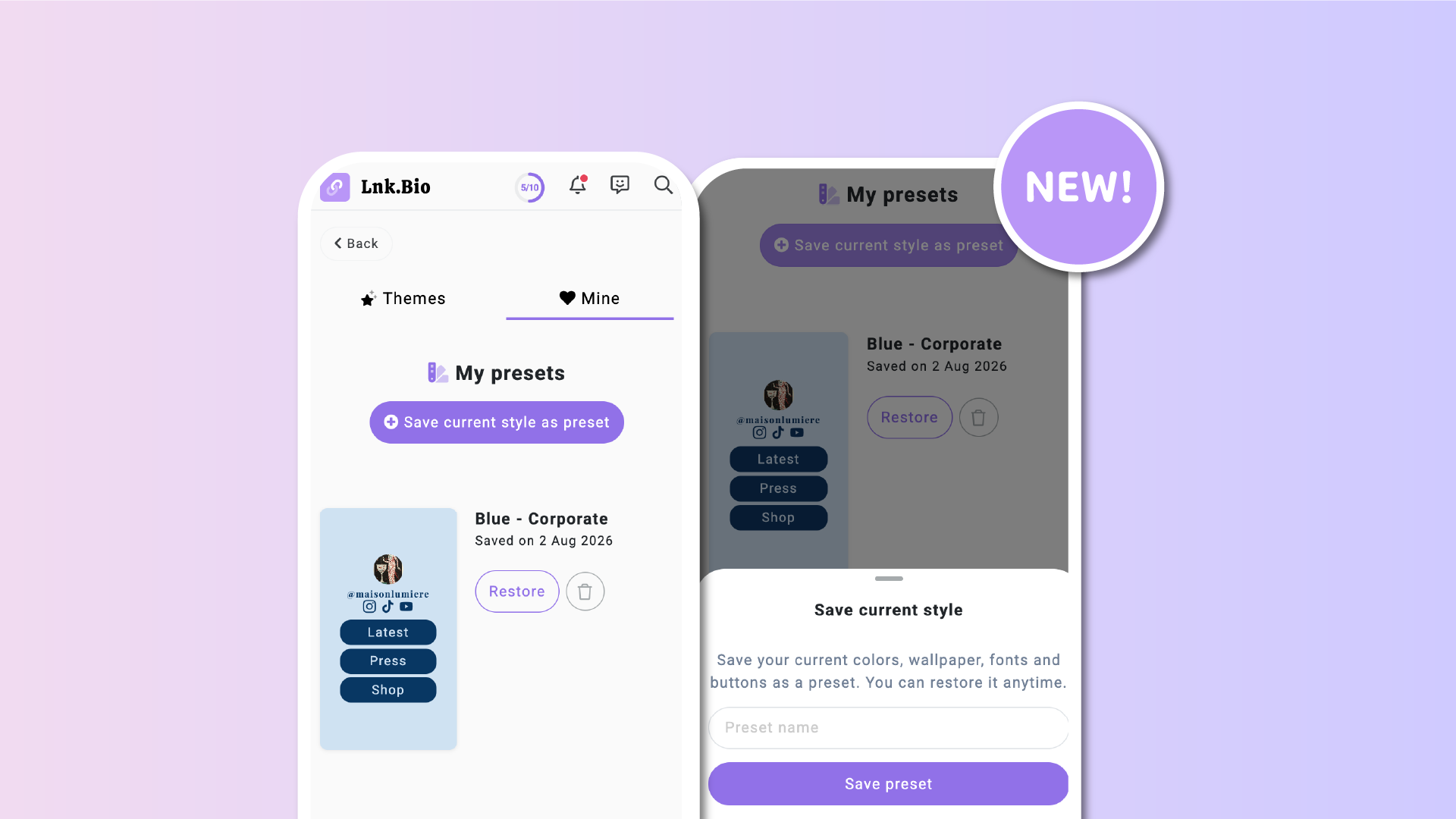
Introducing Theme Presets, a new feature that lets you save complete versions of your page design and switch between them whenever you like.
Available for Unique plans and above, Theme Presets give you the freedom to experiment, knowing your favorite designs are always just one click away.
Save your own private presets
A Theme Preset is a snapshot of your current page design, saved privately to your account.
Whenever you've created a combination of colors, wallpapers, fonts, and button styles that you love, simply save it as a preset.
You can save up to 10 presets, making it easy to keep your favorite designs ready for whenever you need them.
Experiment without fear
Theme Presets completely change the way you customize your page.
Want to try a bold new color palette?
Thinking about switching fonts?
Curious how a different wallpaper would look?
Go for it.
If you decide your previous design was better, simply apply your saved preset and restore your favorite style in a single click.
Even better, Lnk.Bio helps protect your work.
If you try to apply another preset, switch themes, or reset your design while you have unsaved style changes, you'll first be asked whether you'd like to save your current style as a new preset.
That means you can experiment freely without worrying about accidentally losing a design you weren't quite finished with.
Perfect for recurring occasions
Theme Presets are ideal for designs you use throughout the year.
For example, you could create presets for:
- New Year
- Product launches
- Limited-time campaigns
- Pop-up stores
Switch to a dedicated design for the occasion, then return to your everyday branding with a single click.
Your presets remain available, ready to be reused whenever the next event comes around.
Save a preset in seconds
Creating a Theme Preset couldn't be easier.
Simply go to:
My Page → Themes → Mine → Save current style as preset
Give your preset a name, and Lnk.Bio will save your current:
- Color palette
- Image and gradient wallpapers
- Fonts
- Button shape
- Button effects
The next time you want to use that design, simply select the preset and apply it.
Easy to manage
As your collection grows, you can rename or delete presets whenever you like.
Deleting a preset only removes the saved preset itself. It never changes the design currently applied to your live Lnk.Bio page.
Your creativity, without limits
Theme Presets encourage experimentation.
Try new ideas.
Build seasonal designs.
Prepare future campaigns in advance.
Knowing your favorite designs are safely stored means you can be as creative as you like, while always being able to return to the look you love in just a click.