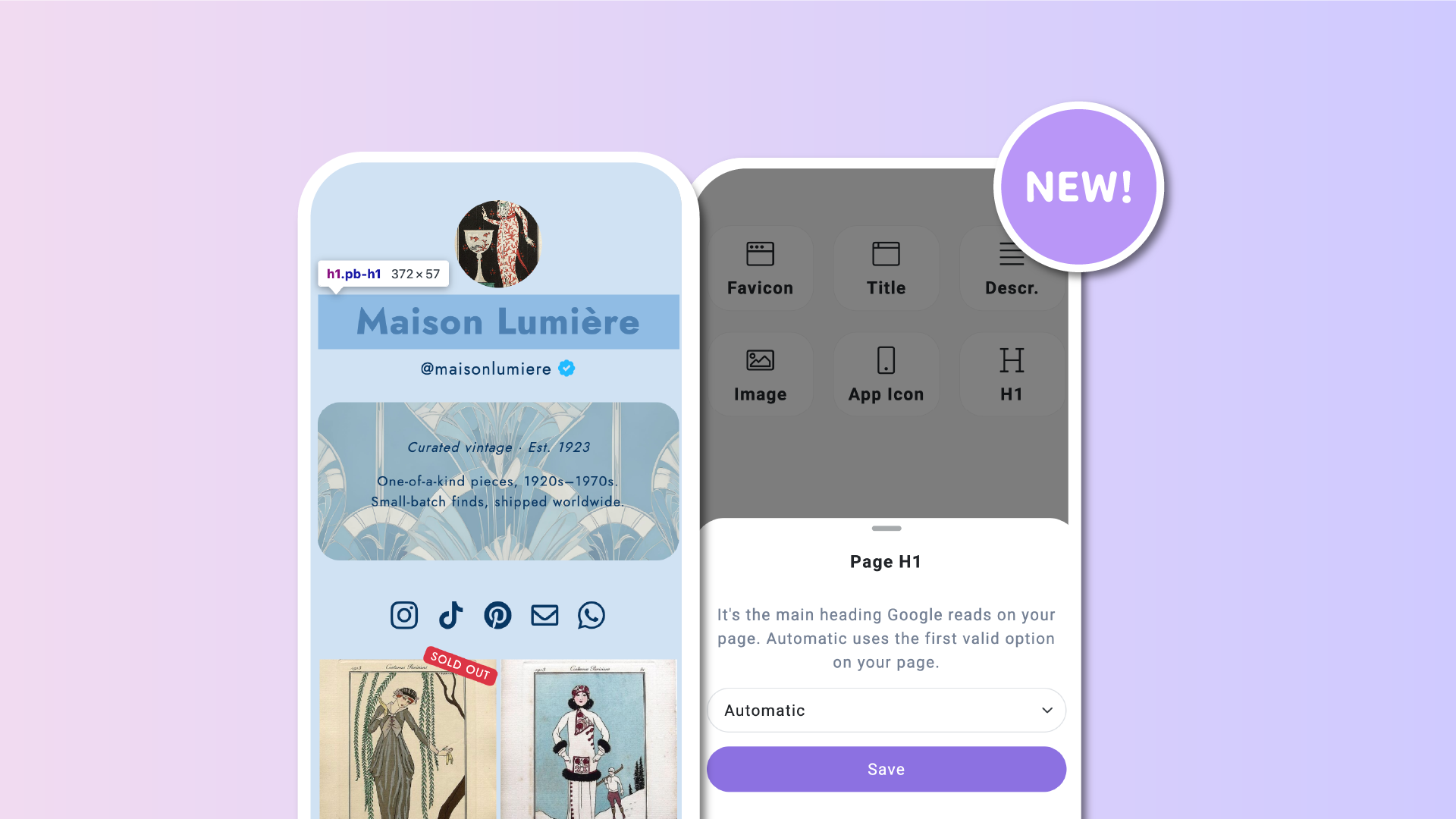

You asked, we listened! We're introducing a new SEO customization option that lets you choose the H1 heading of your Lnk.Bio page, giving you more control over how search engines understand your content.
Whether you're a creator building your personal brand or a business looking to improve your online visibility, this new feature helps you optimize your page for search engines in just a few clicks.
And the best part? It's included in all Lnk.Bio plans, including free.
What is an H1 and why does it matter?
The H1 is the main heading of a webpage. It helps search engines like Google understand the primary topic of your content.
For example, if you're a photographer named Jane Doe, using Jane Doe Photography as your H1 can help communicate what your page is about.
A well-chosen H1 is one of several elements that contribute to good on-page SEO. While it doesn't guarantee higher rankings, it provides a clearer structure and helps search engines interpret your page.
Until now, you couldn't directly control which element was used as your Lnk.Bio page's H1. With this update, you can.
Three ways to manage your H1
The new setting gives you three options:
- Off (default): Keep your page exactly as it is today, with no changes to its existing heading structure.
- Automatic: Lnk.Bio automatically selects the first eligible element on your page, whether it's your profile Name, @Username, or a headline. If you rearrange your content, the H1 updates automatically.
- Pick one: Choose exactly which element should become your H1. Select your profile Name, @Username, or any specific headline on your page.
If you want a simple, maintenance-free solution, Automatic is a great choice. If you're optimizing your page for a specific name, brand, or keyword, Pick one gives you precise control.
Improve SEO without changing your page design
One of the biggest advantages of this feature is that your visitors won't notice any visual difference.
Changing your H1 doesn't affect:
- Font sizes or typography
- Text colors
- Block positioning
- Page layout or design
The change happens in your page's underlying HTML structure, helping search engines identify the main heading without modifying how your page looks.
You can keep your existing design exactly as you like it while improving your page's SEO structure.
How to set your H1 on Lnk.Bio
Getting started takes just a few clicks.
- Open your Lnk.Bio dashboard.
- Navigate to SEO/Meta.
- Find the new H1 setting.
- Choose Off, Automatic, or Pick one.
- If you select Pick one, choose your preferred Name, @Username, or headline.
That's it! Your page will use your selected H1 setting.
For most users, we recommend Automatic, since it keeps your H1 aligned with your page's content even when you rearrange your blocks.
More SEO tools for your link in bio
The new H1 setting joins the existing SEO customization options available on Lnk.Bio, including:
- Page title: Customize the title displayed in search engine results.
- Meta description: Write a summary of your page for search engines.
- Preview image: Control the image displayed when sharing your page.
- Favicon: Add a custom icon to represent your page in browser tabs.
Together, these tools help you build a more recognizable and search-friendly online presence.
Available for free on every plan
We believe everyone should have access to the essential tools needed to improve their online visibility.
That's why H1 customization is available to all Lnk.Bio users, including Free members.
This feature was inspired by requests from our community, and we're always listening for ways to make Lnk.Bio better.
Have another SEO improvement in mind? Let us know what you'd like to see next!