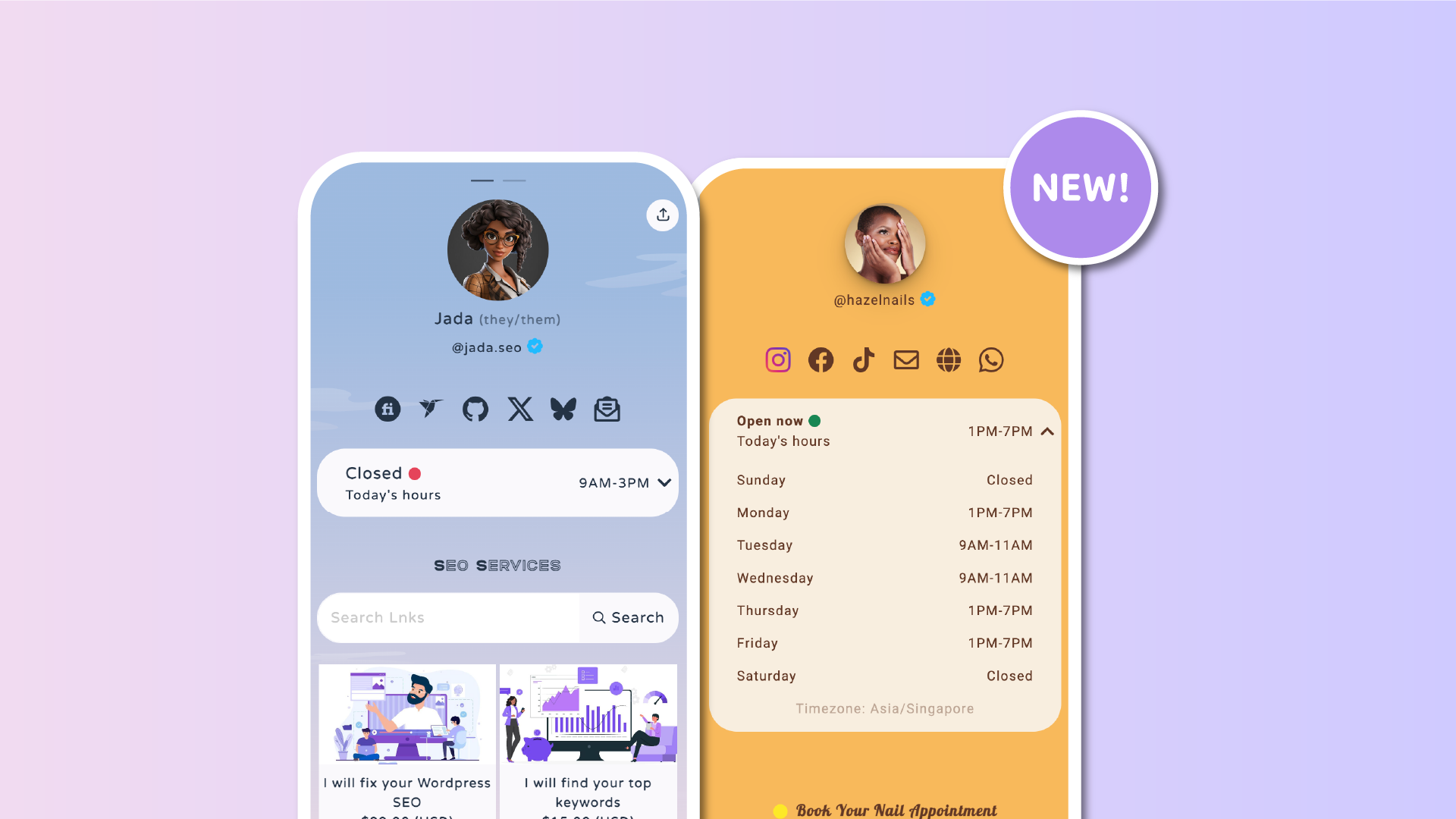

We’re excited to introduce a brand-new block for your Lnk.Bio page: Opening hours. With this feature, you can now display when you’re available, whether you run a local shop, a studio, or even an online business with specific working times.
How it works
Adding the block is simple:
-
Go to My Page → Content
-
Scroll down to find where you want it to appear
-
Select Add Block → Opening Hours
From there, you can choose between two modes:
-
Simple mode: set the same hours for every day of the week.
-
Advanced mode: define different times for each day, so you can tailor your schedule exactly.
You can also set the timezone, which is perfect if your business or audience is in a different region.
Designed to fit your page
The Opening Hours block automatically matches your existing style, including colors and fonts, so it feels native to your page. At a glance, visitors will see whether you are open right now, followed by the full weekly schedule when expanded.
Perfect for every business
This block is ideal for:
-
Brick-and-mortar shops: pair it with the Map block just below, so customers know when and where to find you.
-
Studios and salons: make it easy for clients to check availability before booking.
-
Online businesses: show your working hours or support times, so people know when to expect a reply.
Try it today
The Opening Hours block is available now for all users. Add it to your page in just a few clicks and let your visitors know exactly when you’re open.
Clear, simple, and always up to date.











