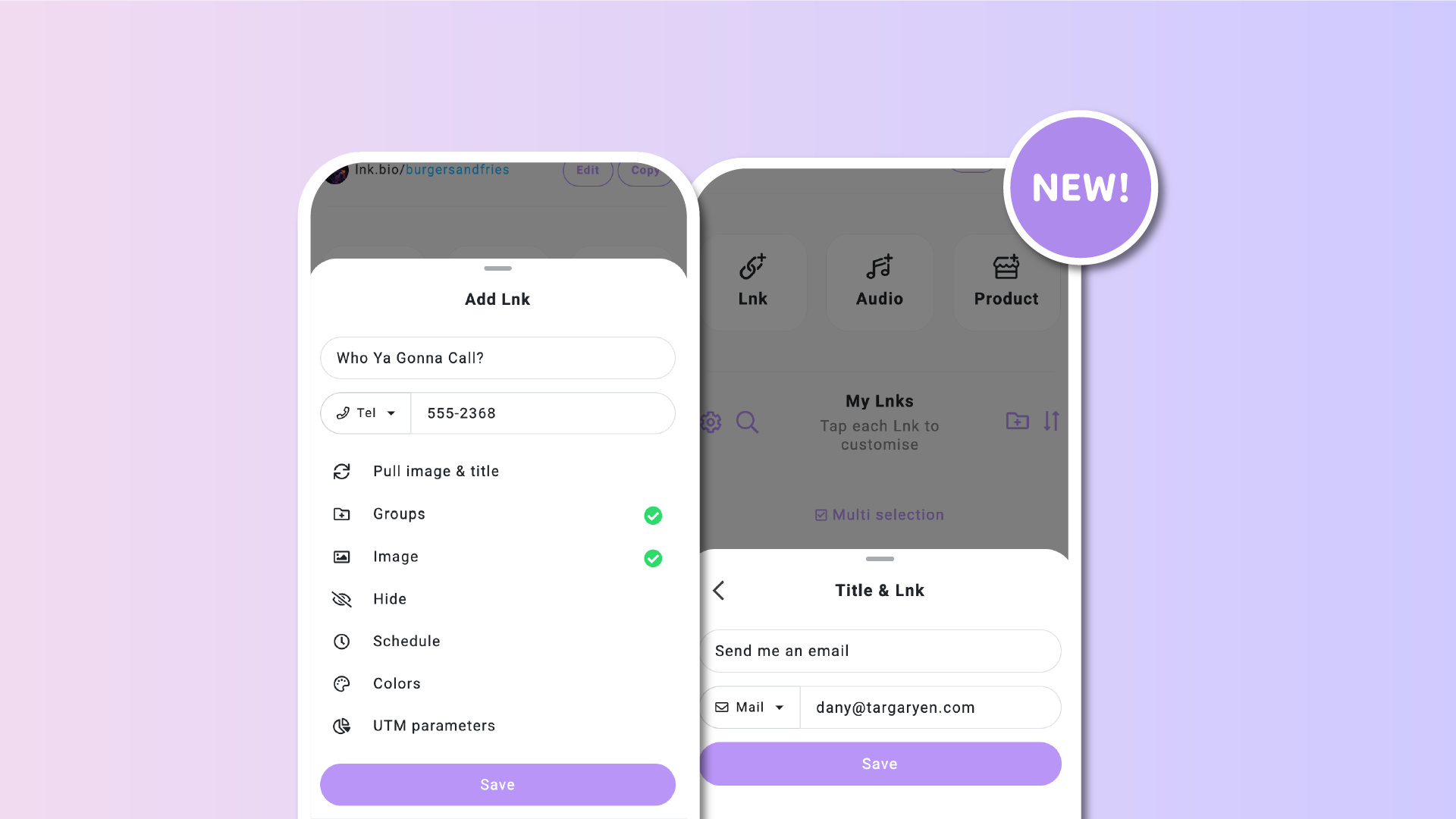

At Lnk.Bio we always want to make connecting with your audience as easy as possible. Until now, if you wanted to add a contact link like an email, phone number, or text message, you had to type out the full code. For example, mailto:myemail.com or tel:+123456789. That was tricky, especially if you didn’t already know the exact format.
Starting today, there is no need to worry about codes. You will now see a simple dropdown when creating or editing a link. You simply choose what type of link you want such as standard link, email, phone, sms, or imessage, and then type your details. We automatically build the correct format for you.
Why this matters
Adding contact links means you can connect with people in the way that feels natural to them. Here are just a few examples:
-
Email links: add a button so anyone can reach you with one tap
-
Phone links: let your audience call you directly without copying numbers
-
Sms links: perfect for quick interactions, promotions, or text support
-
Imessage links: easy for Apple users to send you a message instantly
All of this happens without you ever needing to remember technical shortcuts. You just focus on what you want people to do and we handle the rest.
Available for everyone
This update is live right now for all users, both free and paid. For example, you can:
-
create a “send me an email” button by selecting mail and typing your address
-
create a “text me now” button by selecting sms and entering your number
In just a few seconds, your page is ready with fully working contact links.
Try it today
Log in to your Lnk.Bio account, edit or add a link, and try the new dropdown. It is the fastest way to add contact links and makes it easier than ever for your audience to get in touch with you.