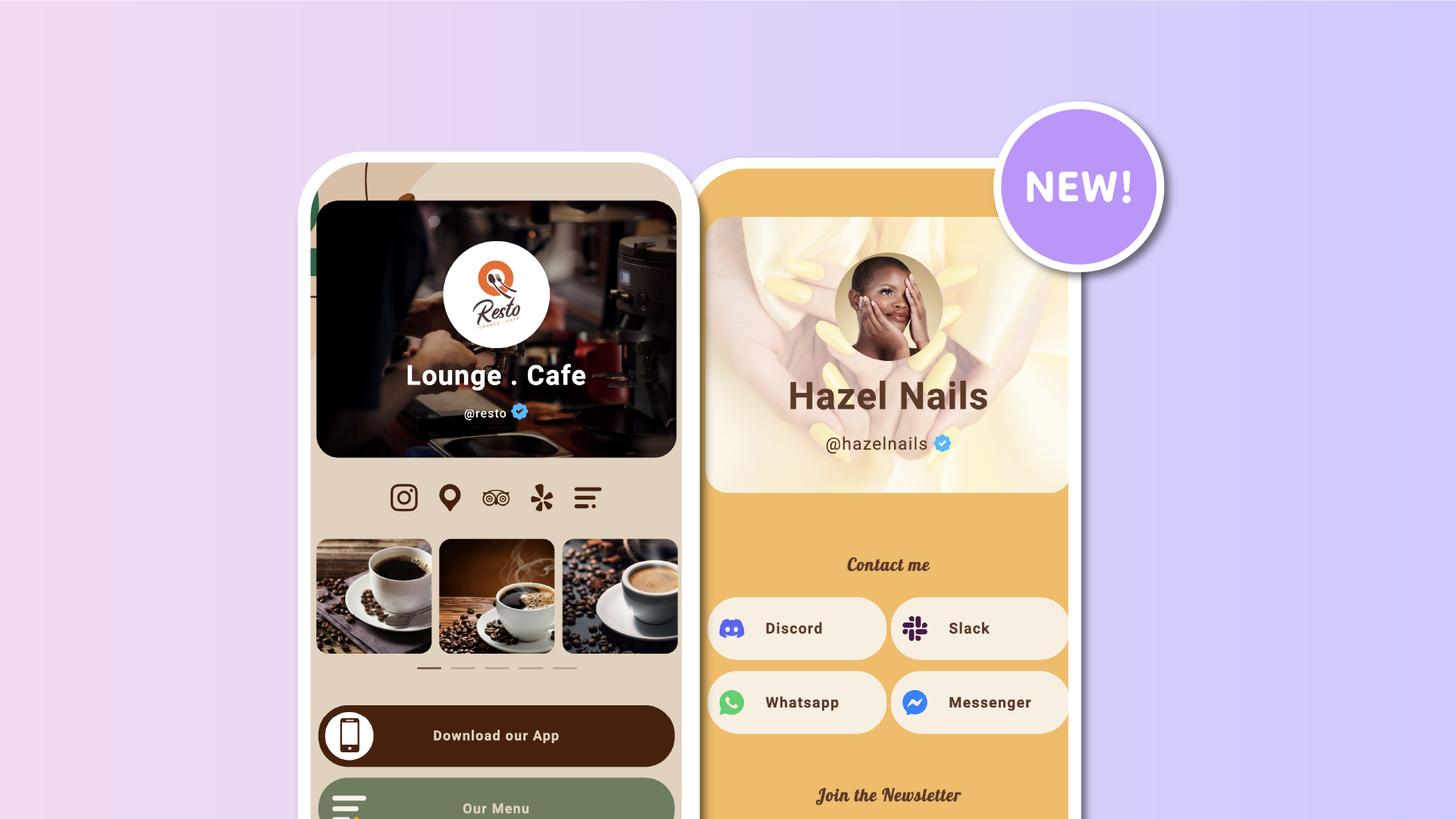

We're introducing two new customization options to help you create more polished and personalized Lnk.Bio pages: image overlays for individual block backgrounds and independent text sizes for your profile Name and Username.
Whether you're designing a bold hero-style profile or simply improving the readability of a block, these new settings give you more control over how your content looks.
Add overlays to your block background images
Background images can make individual blocks on your Lnk.Bio page stand out, but sometimes a beautiful photo can make the text displayed on top difficult to read.
With the new Image overlay setting, you can darken or lighten the background image of any supported block without editing the original photo.
You can choose between:
-
Black overlay: Darken the block's background image to make light-colored text stand out.
-
White overlay: Lighten the block's background image to improve contrast with darker text.
-
None: Remove the overlay instantly.
An opacity slider lets you adjust the intensity from 0% to 100%, in increments of 5%, with a default of 40%.
The overlay only affects the background image of that specific block. Your text, profile picture, buttons, and other content remain completely untouched. It does not affect your page's overall background or wallpaper.
This means you can create better contrast while preserving the appearance of everything else inside the block.
Available across all supported blocks
Image overlays work with every block type that supports an individual background image, including Profile, Text, and Lnks blocks.
To try them, open your Lnk.Bio dashboard, navigate to My page → Content, and edit a block with a background image.
You'll find the new Image overlay setting directly below the block's background image upload.
If you remove the background image, its overlay will automatically be cleared as well.
As with block background images, this feature is available to Unique members.
Customize your Name and Username sizes independently
We're also introducing a new way to personalize your Profile block.
You can now adjust the size of your Name and Username independently, giving you greater control over your profile's visual hierarchy.
Both fields have their own size dropdown, with four options:
-
Small
-
Normal
-
Large
-
Largest
For example, you can display your Name in a large, prominent font while keeping your Username smaller and more discreet.
Or you can do the opposite, depending on which information you want to emphasize.
This is especially useful if you use your Username as a short tagline, description, or secondary heading beneath your Name.
To customize these settings, open your Lnk.Bio dashboard, go to My page → Content, and select Edit block on your Profile block.
You'll find the new size dropdowns directly next to the Name and Username fields.
Independent text sizing is free for everyone, regardless of your Lnk.Bio plan.
Existing profiles will continue looking exactly as they do today until you choose a different size. The default Normal setting preserves the current appearance.
Create a beautiful hero-style profile
These two improvements work particularly well together.
Imagine a Profile block featuring a full-width background photo, with your Name displayed prominently and a smaller tagline-style Username underneath.
By adding a subtle black overlay to the Profile block's background image, you can make the text stand out clearly, even if the photo has bright colors or a busy background.
The result is a polished, hero-style section similar to what you'd expect from a professionally designed website.
And you can achieve it directly from your Lnk.Bio dashboard, without editing images or writing any code.
More ways to make your page yours
These updates build on our recent improvements to block background images and hero banners, giving you even more flexibility to customize individual sections of your page.
We're continuing to expand Lnk.Bio's design options so you can create a page that truly reflects your personality, brand, and content.
Have an idea for another customization feature? We'd love to hear it!